John Hopkins University
VPOS User Guide
×
Menu
Index

Payment

 
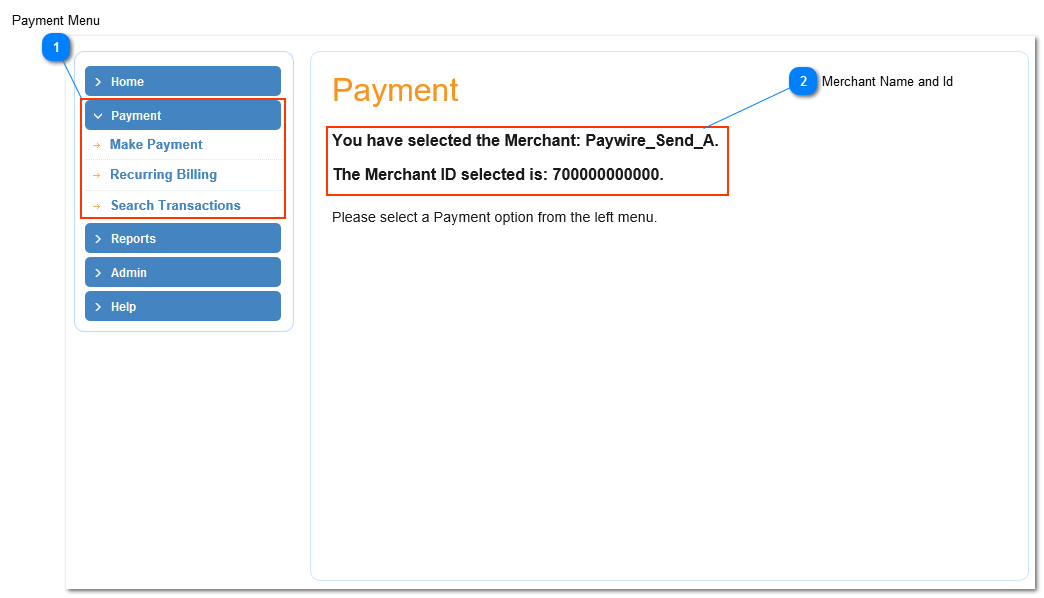
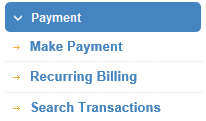
Before processing any payments the user must ensure they have selected a merchant from the home screen, and that the merchant name is displayed atop of the screen(2). Clicking the "Payment" tab located in the main menu located left of the screen will display the following buttons Make Payment, Recurring Billing and Searching Transactions (1). Clicking Make Payment displays a screen allowing the user to process the following payment types: Credit Card Sale, Credit Card Force, E-Check, Remote Check, Remote Check Batch, Recurring Credit Card Billing, and Recurring E-Check Billing. Clicking Recurring Billing allows the user  to view and edit Recurring Billing Plans. Clicking  Search Transaction will bring the user to the page where he/she can enter information to search payment transactions.
 
Payment
1

Payment Menu

1. Payment Menu
2

Merchant Name and Id

2. Merchant Name and Id