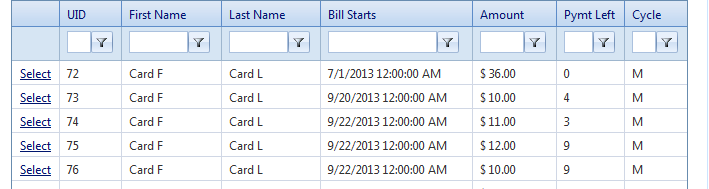
To search and edit Recurring Billing select "Payment" on the left navigation bar and select "Recurring Billing" from the Payment links. You will come to a page that will show you all the Recurring Billing Plans. You can search them by UID, First Name, Last Name, Bill Starts, Amount, Pymt Left, and Cycle.
After clicking on Select the user will be forwarded One is Sales Data, which list Transaction Type, Order ID, Dept. Reference, and Total Sale Amount.
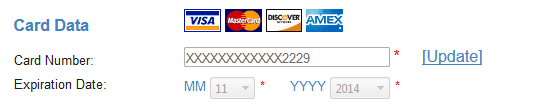
Second section is Card Data which is where you can edit the card number and Expiration Date.
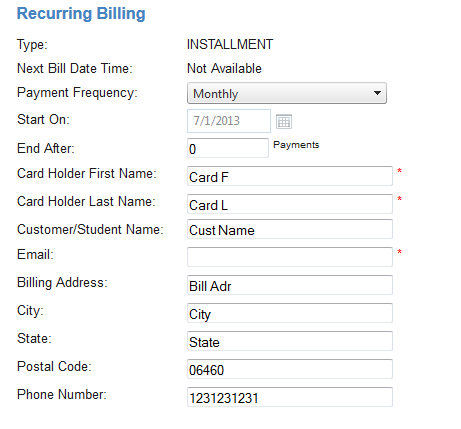
The Last Section is the Recurring Billing. This is the section where you can edit the Payment Frequency, End After, Cardholder First Name, Cardholder Last Name, Customer/ Student Name, Email, Billing Address, City, State, Postal Code, and Phone Number. The only sections required are Card Holders First Name, Last Name and Email.
Once you have entered all the data you need click on "Process" if your ready to Process. If you are not you can save what you have entered by clicking on "Save". If you don't want to save or process the information you have enter you can click on "Delete" or "Cancel".