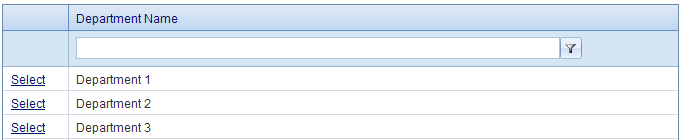
To see a list of departments click on Departments under the Administrator Tab. Use the filter to search through the departments. To add a new department click "Add New Department". The only criteria needed for a new department is the Department Name. Enter the Department Name and click Save. Click Cancel if you do not want to save the new department.
When you click Select next to a department you can see its Department Details. You can edit its Department Name or delete the department. Under Department Name, the merchants that are in this department are listed. You can select a Merchant to see more information about that merchant. Merchants are assigned to departments on the Merchant Information screen which is accessed by selecting the Merchants link and then choosing a merchant.