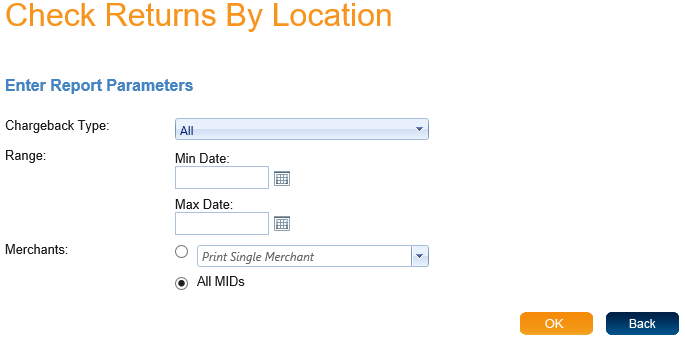
When you select Check Returns By Location you will come to a screen where you can enter report parameters. The first parameter is the "Chargeback Type", the default setting is "All". The second parameter is a date range. Type in a "Min Date" and a "Max Date" or click the calendar icon next to the fields to pick a date from the calendar. If the date range is left blank, all dates will be included. Next you can search by Merchants. You can either search by single merchant, by department or "All MIDs".
When you have entered your parameters click "Ok" to view the report. The report will open in a new window. At the top of the page you will find the type of report and then the report parameters you selected. The report lists all the transactions that meet the requirements of the parameters.
The report contains many columns of information. These columns are Payment Type, Transaction Totals, Remote MID, Check Trace Number, Unique ID, Check Number, Student Name, Account Holder Name, Chargeback Date Time, Amount, Original Date Time, Amount and Chargeback Reason.